What Drives the Cost of CCTV for a Business?
How much CCTV costs for a business comes down to scope, so no honest per-camera figure fits every site.
We looked for a reputable independent Australian price source on 5 November 2026 and didn’t find one. The ranges we read came from businesses selling the work or the gear, or from sites whose method we couldn’t check. That’s why this guide has no prices. You’ll get a scope sheet and a quote comparison table instead, so you can work out why two quotes for the same site differ.
Camera count alone can’t price a business job
A per-camera figure can’t price a business job because the camera is only one part of the work. Two sites with the same number of cameras can still get very different quotes once you look at these lines:
- The job each camera has to do, from spotting movement to confirming who someone is
- How far the cable has to travel and how hard the route is to reach
- How many days of footage you need to keep
- What’s already on site and can stay
- What you’ll keep paying for after handover
That’s also why an average cost for installing CCTV tells you so little. It blends a small shop and a large warehouse into one number, and it doesn’t say what was included. Treat any published range as a talking point until you can see the scope behind it.
The job of each camera sets the detail you pay for
Each camera’s job sets how much detail it has to capture, and that detail shapes the camera, lens and mounting spot on your quote. Axis Communications, a camera maker, says that to keep cost and effort down you should focus on the camera and setup that fit your needs. Its guide to the international standard IEC 62676-4:2025 measures detail in pixels per metre, which is how many image dots cover each metre of the scene.
| What you need the footage to show | Axis level | Pixels per metre |
|---|---|---|
| Whether something is moving | Overview | 20 |
| Whether it’s a person, a vehicle or an animal | Discern | 80 |
| A person’s type, gait and behaviour, or a vehicle’s type | Characterise | 250 |
| Checking a known person, or getting a number plate | Validate | 500 |
| Who someone is, with high certainty, or a vehicle’s model and year | Scrutinise | 1,500 |
Someone further from the camera gets fewer pixels, so a higher level might mean a sharper camera, a tighter view or a closer mount. Axis calls this a simplified model and says meeting the number is no guarantee, because light direction, lens quality and compression also matter.
Ask which edition of the standard a quote is working from. Axis’s paper on the 2014 edition lists identification at 250 pixels per metre. In its 2025 paper, the high-certainty identity level sits at 1,500. Two installers can both promise to “identify people” and be pricing different things.
Cable routes, access and working hours move the labour line
The labour line depends on how cable reaches each camera and when the crew can work, so we wouldn’t rely on an average labour figure or a standard price to fit one camera. Distance is a good example. Axis notes that Ethernet has a limited cable length of 100 metres between the switch and the camera. A longer run needs extra gear, such as a PoE extender, which extends the connection.
Walk the site with each installer and check these points:
- Mounting heights, and whether anyone needs a lift to reach them
- Walls, floors and roofs the cable has to cross
- The distance from each camera to the network switch or recorder
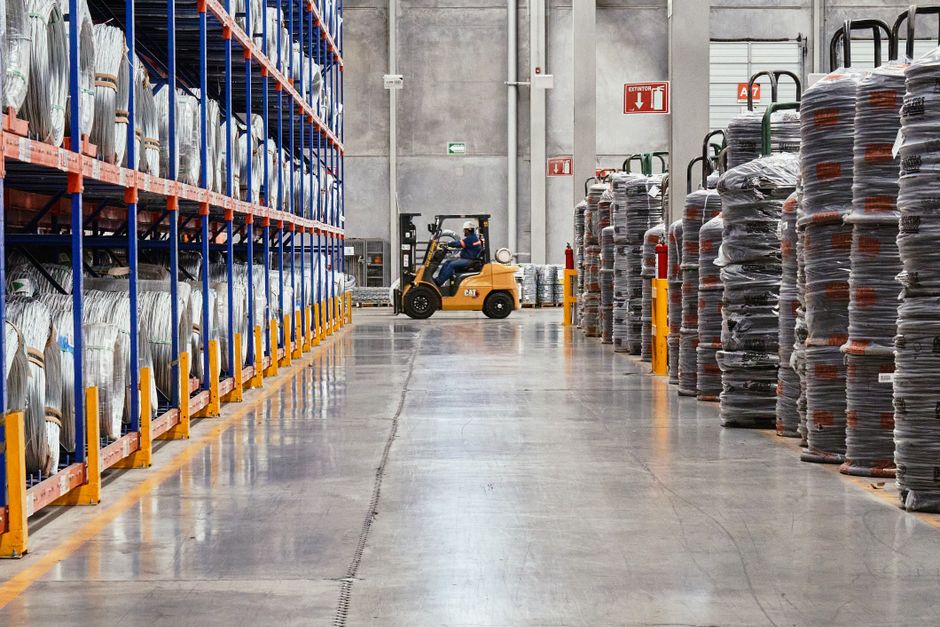
- When work can happen, such as after close or around forklift traffic
- Any inductions or building approvals your site needs
Licence and safety checks belong in the scope
Some parts of a CCTV job sit with licensed or registered people in Queensland, so check who’s doing each part before you compare totals. This is general information. Get legal or professional advice for your own site, and leave regulated work to the licensed trade.
| Part of the job | What the source says | What to do |
|---|---|---|
| Installing or servicing cameras | Under the Security Providers Act 1993, a person who installs, repairs, services or maintains security equipment for reward is a security equipment installer, with some exceptions. The Act’s examples include an audio or visual recording system. | Check the Queensland licence register. |
| New mains wiring | Under the Electrical Safety Act 2002, installing low voltage electrical wiring in a building is electrical work and, with some exceptions, needs a licence that covers the work. In the Act, “low voltage” means over 50V AC and up to 1,000V AC, so don’t read it as low-power camera cable. | Use a licensed electrician. |
| Communications cabling | The Australian Communications and Media Authority (ACMA) says a registered cabler can show a registration card and gives you a signed statement that the work meets the Wiring Rules. | Ask your installer whether this applies to your cable runs. |
| Drilling and cable routes | Queensland’s Work Health and Safety Regulation 2011 says a person with management or control of a workplace must keep an asbestos register there, readily accessible to workers. There’s an exception for a building constructed after 31 December 1989 where no asbestos has been identified and none is likely to be present. | If your site has a register, share it before anyone drills. If it lists asbestos on the route, stop and get licensed advice. |
Filming staff or recording audio raises its own legal questions, so get legal advice before adding either.
More retention days means more storage on the quote
Keeping footage longer costs more storage, and the recorder line grows with it. Axis’s method is to work out the expected bitrate per camera, then multiply it by the number of cameras and the days you need to keep. Bitrate is the amount of video data a camera produces each second. If the recording stays the same, doubling the days doubles the storage.
Axis says bitrate is hard to predict for a new scene and that motion can push it up. It also warns that most storage calculators work from a low bitrate limit, so a system sized that way may run short for high-quality recordings. Get these answers in writing from each installer:
- How many days does this recorder hold, and on what schedule?
- What bitrate did you allow per camera, and is it an average or a limit?
- What drives are in the recorder? Western Digital says surveillance drives are built for high write workloads, unlike standard desktop drives.
Check your retention target with your insurer or legal adviser first.
Reusing what’s on site can cut cable work, once it’s checked
Reusing existing cable can reduce the cable line, though it adds equipment. Axis describes several ways to keep coax, the round cable older CCTV systems run on, including the first two options below. No option wins on every site.
| Option | What stays | What gets added | What to ask |
|---|---|---|---|
| Video encoder with analogue cameras | Cameras and coax | Encoders and a network connection | Will the old cameras show what each job needs? |
| Network cameras with coax adapters | Coax | New cameras and adapters | Axis says this suits small systems with few cameras and long coax runs. Does that match your site? |
| Network cameras on new network cable | Possibly nothing | Cameras, cable and switches | What’s the route, and can power run over the same cable? |
Get existing cable checked before you count on it. Encoders can change the licence line too: Milestone, a video software maker, says a device licence may be needed for each enabled channel.
Weighing up older cameras? Read our guide on analogue versus digital CCTV or see how a security system upgrade works.
Three worked scopes show which lines move
A shop, a warehouse and an office put pressure on different quote lines, even before anyone picks a camera. We made up these examples to show how that works. They aren’t real jobs, and the camera counts and retention days are only assumptions.
| Scope item | Shopfront with rear store | Warehouse with a yard | Office in a shared building |
|---|---|---|---|
| Assumed cameras | 6 | 16 | 10 |
| Camera jobs | Door and till at characterise, store room at overview | Gate at validate, dock at characterise, yard at discern | Foyer at characterise, car park entry at validate, corridors at discern |
| Cable route | Short runs through a ceiling space | Long runs, some past 100 metres, with high mounts | Shared risers and tenant areas |
| Working hours | After close | Around forklift traffic | After hours in tenant areas |
| Assumed retention | 14 days | 30 days | 30 days |
| Lines likely to move most | Camera choice and after-hours labour | Cabling, access gear and storage | Building approvals, cabling and any software licences |
Send every installer the same scope sheet
The same scope sheet gives you quotes you can actually compare, because every installer is pricing the same job. Fill this in first:
- List each camera position and the level of detail it has to show.
- Mark where cable can and can’t go, and attach your asbestos register if your site has one.
- Write down the hours when work can happen on site.
- Set the retention days and the recording schedule.
- List what’s already installed and what you’d like to keep.
- Say what you want at handover, including admin logins in writing.
Compare two quotes line by line
Comparing line by line shows you what each total actually buys. Print this table and fill in a column for each quote. A blank is a question to ask, and it may be the reason one total is lower. The higher quote doesn’t win by default, and neither does the lower one. Once the lines match, you can choose on scope.
| Quote line | What it should tell you | Quote A | Quote B |
|---|---|---|---|
| Camera schedule | Each position, its job and the level of detail promised | ||
| Camera and lens | Make, model and view for each position | ||
| Cabling | Type, route, rough length and any extenders | ||
| Access and hours | Lift hire, after-hours work and site inductions | ||
| Power | Any new wiring, and who’s doing it | ||
| Recorder and storage | Retention days, schedule, bitrate allowed and drive type | ||
| Software licences | Per-device fees, what renews and how often | ||
| Existing gear | What’s kept, tested, removed or replaced | ||
| Handover | Admin logins, cabling statement and system records | ||
| After handover | Warranty terms and what servicing covers |
Costs after handover: budget for renewals, and keep the logins yourself
You should hold the recorder’s admin login yourself, and it’s worth asking for that in writing before you pay the final invoice.
Guidance from the UK’s National Cyber Security Centre and the Australian Signals Directorate (ASD) says no device on your network should keep a default password. It’s written for operational technology networks, such as those at industrial sites, so we’re applying it to camera systems by analogy.
ASD’s small business handbook also says businesses should know what accounts outside providers can access, and remove that access once it’s no longer needed. Both are hard to check or act on if only the old installer has the login.
The install isn’t the last cost either, and these lines are easy to leave off a quote:
| Ongoing line | What the source says | What to ask |
|---|---|---|
| Software | Systems differ. As one example, Milestone says XProtect licences can be used indefinitely, but you need Care Plus to keep the software up to date, and Care licences need renewing. | Is there a renewal, and what happens if it lapses? |
| Updates and replacements | ASD warns that devices that no longer get updates can leave a business exposed, and suggests considering a supported version. | How long will these cameras and this recorder get updates? |
| Drives | Western Digital lists limited warranties of up to 3 years on WD Purple and up to 5 on WD Purple Pro. | What warranty do the quoted drives carry? |
| Servicing | Access Alarms offers security system servicing, including systems other companies installed. | What’s included, and what’s charged per visit? |
Next steps
Pricing more than cameras? Read what drives the cost of a commercial security system.
Ready to scope a site? See our commercial CCTV installation page, or call Access Alarms on 1300 049 969.
Frequently asked questions
How much do security cameras cost for a business?
We can’t give you a fair figure without knowing the site, and we didn’t find a reputable independent Australian price source to quote. The camera itself is only one line. The better first step is a list of every position and what it has to show, which lets an installer price your job rather than a typical one.
What is the average labour cost to install security cameras?
We didn’t find an average we’d rely on, because labour follows the building more than the camera. A short run through an open ceiling and a long run across a warehouse at height are very different jobs, even for the same camera. Ask for labour as its own line, with hours and any after-hours work shown.
Will you quote on a CCTV system another company installed in Brisbane?
Yes. Access Alarms is based in Eagle Farm and covers Brisbane and South East Queensland, and in most cases we can service, repair and upgrade a system someone else installed. That includes sites in the Brisbane CBD and Newstead. Tell us what’s there, and whether you still have the logins.

Can existing cabling be reused to reduce the cost?
Sometimes, and it depends on what the cable is and what condition it’s in. Old coax can stay in service with encoders or adapters, though you’ll be paying for that extra equipment. Ask for the cable to be checked before you rely on it, and ask the installer to show the reuse option as a separate line.
What ongoing costs should a business budget for after installation?
Allow for any software renewals, servicing visits, repairs and eventual replacement of drives or cameras that fall out of support. Some systems renew per device, so ask how yours works. Get each one named in the quote, with how often it comes around.
How can I check that a Queensland CCTV installer is licensed?
Search the Queensland Government’s security licence register, which is free and covers licensed employees and firms. Ask for the licence number and the name on it, then check that they match the company quoting. For a record you can keep, the Office of Fair Trading offers a paid extract showing the licence status, class and expiry date.
Sources
- Security Providers Act 1993 (current as at 29 October 2026), Queensland Parliamentary Counsel, legislation.qld.gov.au/view/pdf/inforce/current/act-1993-083, accessed 5 November 2026.
- Apply for a security equipment installer licence, Queensland Government, qld.gov.au security equipment installer licence page, accessed 5 November 2026.
- Check a security licence, Queensland Government, qld.gov.au check a security licence page, accessed 5 November 2026.
- Electrical Safety Act 2002 (current as at 27 March 2026), Queensland Parliamentary Counsel, legislation.qld.gov.au/view/pdf/inforce/current/act-2002-042, accessed 5 November 2026.
- Work Health and Safety Regulation 2011 (current as at 29 March 2026), Queensland Parliamentary Counsel, legislation.qld.gov.au/view/pdf/inforce/current/sl-2011-0240, accessed 5 November 2026.
- Find a registered cabler for domestic or commercial work, Australian Communications and Media Authority, acma.gov.au/find-registered-cabler, accessed 5 November 2026.
- Protecting devices, systems and networks (Small business cyber security handbook), Australian Signals Directorate, cyber.gov.au small business handbook page, accessed 5 November 2026.
- Secure connectivity principles for Operational Technology, UK National Cyber Security Centre in partnership with the Australian Signals Directorate and other agencies, cyber.gov.au secure connectivity principles page, accessed 5 November 2026.
- Pixel density based on IEC 62676-4:2025, Axis Communications, whitepapers.axis.com/en/pixel-density-based-on-iec-62676-4-2025, accessed 5 November 2026.
- Pixel density based on IEC 62676-4:2014, Axis Communications, whitepapers.axis.com/en/pixel-density-based-on-iec-62676-4-2014, accessed 5 November 2026.
- PoE extenders, Axis Communications, axis.com/products/poe-extenders, accessed 5 November 2026.
- Surveillance video compression, Axis Communications, axis.com/insights/topics/surveillance-video-compression, accessed 5 November 2026.
- Bitrate control for IP video, Axis Communications, axis.com bitrate control white paper (PDF), accessed 5 November 2026.
- AV1 codec in video surveillance, Axis Communications, whitepapers.axis.com/en-us/av1-codec-in-video-surveillance, accessed 5 November 2026.
- Video encoders, Axis Communications, whitepapers.axis.com/en-us/video-encoders, accessed 5 November 2026.
- Designed for network and IT systems, Milestone Systems, doc.milestonesys.com system architecture guide, accessed 5 November 2026.
- XProtect pricing, Milestone Systems, milestonesys.com/pricing/xprotect, accessed 5 November 2026.
- Video surveillance storage and CCTV HDD solutions, Western Digital, westerndigital.com/en-au/solutions/surveillance, accessed 5 November 2026.